1. Танилцуулга
Thank you for choosing the HUANUO Gas Spring Monitor Arm, model HNSS31B. This monitor arm is designed to enhance your workspace by providing flexible and ergonomic positioning for your monitor. Please read this manual carefully before installation and use to ensure proper setup and safe operation. Keep this manual for future reference.
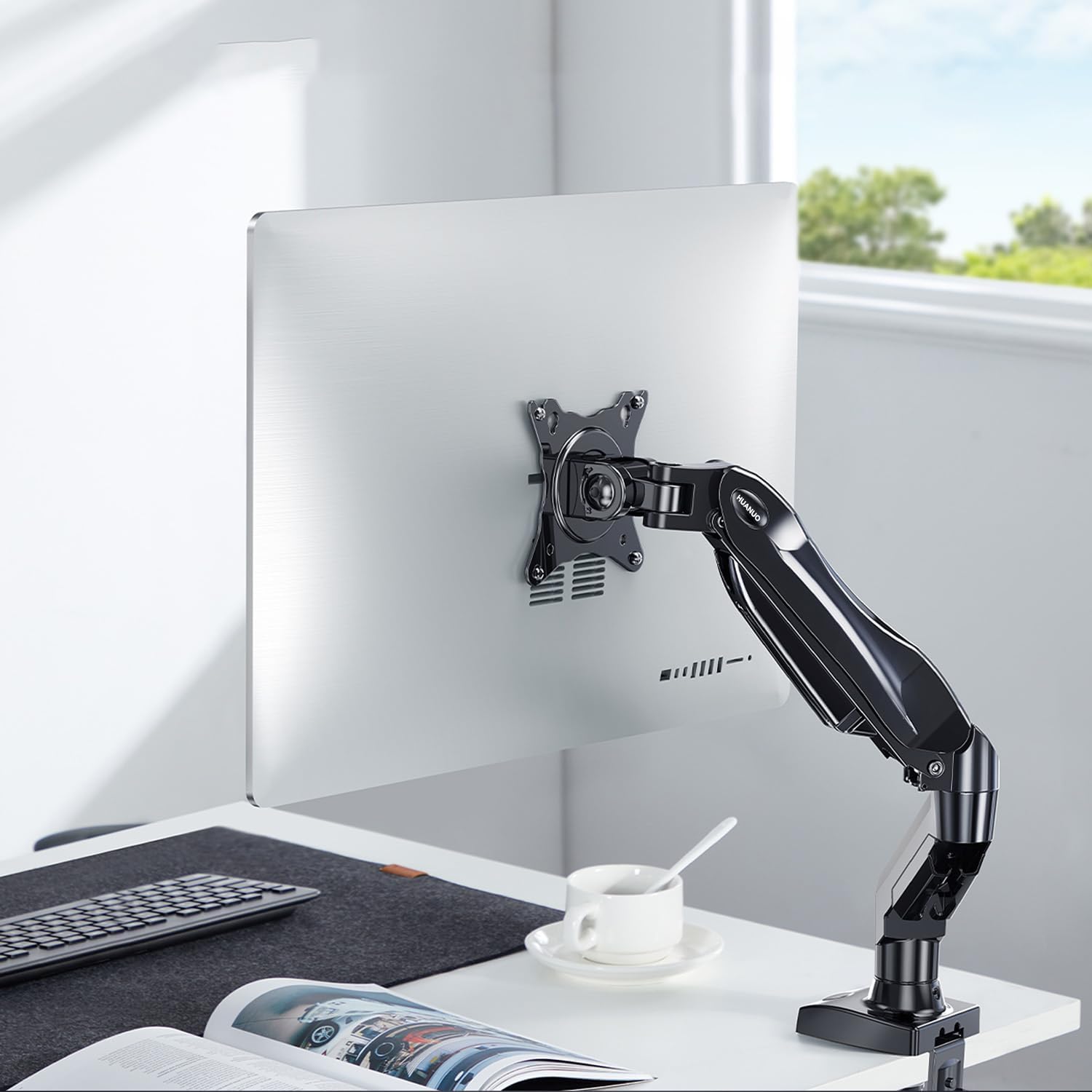
Image 1.1: HUANUO Gas Spring Monitor Arm supporting a monitor on a desk.
2. Аюулгүй байдлын мэдээлэл
АНХААРУУЛГА: Failure to read and follow these instructions may result in serious personal injury, property damage, or voiding of your warranty. If you do not understand these instructions or have doubts about the safety of the installation, please contact customer support.
- -ийн хамгийн их жингийн багтаамжийг хэтрүүлж болохгүй 9 кг (19.8 фунт).
- Энэ бүтээгдэхүүн нь зөвхөн дотор ашиглах зориулалттай.
- Ensure the mounting surface (desk) can safely support the combined weight of the monitor arm and your monitor.
- Do not overtighten screws. Overtightening can cause damage to the product or your desk.
- Жижиг хэсгүүдийг хүүхдээс хол байлга.
- Always use an assistant for heavy lifting or during installation steps that require extra support.
3. Багцын агуулга
Please verify that all parts are present and undamaged before installation. Refer to the packaging for a detailed list of components and hardware included with your monitor arm.
4. Техникийн үзүүлэлтүүд
| Онцлог | Тодорхойлолт |
|---|---|
| Загварын дугаар | HNSS31B |
| Тохиромжтой мониторын хэмжээ | 13-32 инч |
| Жингийн багтаамж | 2 - 9 кг (4.4 - 19.8 фунт) |
| VESA нийцтэй байдал | 75х75мм, 100х100мм |
| Хамгийн их өндрийн тохируулга | 410 мм (16.1 инч) |
| Хамгийн их өргөтгөл | 530 мм (20.9 инч) |
| Налалтын хүрээ | +85° / -30° |
| Залгих хүрээ | ±90° |
| Эргүүлэх | 360° (Хөрөгөөс Ландшафт руу) |
| Суурилуулах сонголтууд | C-Clamp, Grommet Base |
| Compatible Desk Thickness (C-Clamp) | 10 - 90 мм (0.4 - 3.5 инч) |
| Бүтээгдэхүүний жин | 2.4 кг (5.3 фунт) |
| Өнгө | Хар |

Image 4.1: Monitor size and weight compatibility.
5. Тохируулах заавар
5.1. Суурилуулах аргыг сонгоно уу
The monitor arm supports two installation methods: C-Clamp and Grommet Base. Select the method suitable for your desk.

Image 5.1: C-Clamp болон Grommet суурилуулах сонголтууд.
5.2. Install the Desk Mount
C-Clamp Суурилуулалт:
- C-cl-ийг хавсаргана ууamp to the base of the monitor arm.
- C-cl-ийг байрлуулamp on the edge of your desk. Ensure the desk thickness is between 10-90 мм.
- cl-ийг чангалamp screw until the base is securely fastened to the desk. Do not overtighten.
Суурь суурилуулах:
- Хэрэв таны ажлын ширээг цоорхойтой бол цооногоор дамжуулагчийн суурийг оруулна.
- Өгөгдсөн хавтан болон самар ашиглан суурийг ширээний доороос бэхлэнэ.
- Tighten the nut until the base is stable.
5.3. Мониторыг VESA хавтан дээр бэхлэнэ үү
This monitor arm supports VESA patterns of 75x75 мм болон 100x100 мм.

Image 5.2: VESA compatibility for monitor mounting.
- Carefully attach the VESA plate from the monitor arm to the back of your monitor using the appropriate screws. Ensure the screws are tightened securely.
- If your monitor does not have VESA holes, a VESA adapter (sold separately) may be used.

Image 5.3: Using a VESA adapter for non-VESA monitors.
5.4. Mount the Monitor to the Arm
- With the VESA plate attached to your monitor, slide the monitor onto the arm's mounting head.
- Secure the monitor by tightening any quick-release screws or clips on the mounting head.
5.5. Хийн хаврын хүчдэлийг тохируулна уу
The gas spring tension needs to be adjusted to match the weight of your monitor. This ensures the arm holds the monitor securely at any height.
- If the monitor drops after being mounted, turn the adjustment screw (usually located on the arm joint) цагийн зүүний дагуу to increase tension.
- If the monitor floats up or is difficult to push down, turn the adjustment screw цагийн зүүний эсрэг to decrease tension.
- Adjust until the monitor stays in place when moved to different heights.
6. Ашиглалтын заавар
The HUANUO Gas Spring Monitor Arm offers a wide range of adjustments to achieve an ergonomic viewтуршлага.

Image 6.1: Full range of motion and adjustment capabilities.
- Өндөр тохируулга: Gently push or pull the monitor up or down to your desired height. The gas spring mechanism will hold it in place once released. The maximum height is 410 мм.
- Налалтын тохируулга: Tilt the monitor screen up or down to reduce glare and find your optimal viewing angle. The tilt range is +85°-аас -30° хүртэл.
- Эргэлтийн тохируулга: Swivel the monitor left or right to share your screen with colleagues or adjust your viewing position. The swivel range is ±90°.
- Эргүүлэх: Мониторыг эргүүл 360° to switch between landscape and portrait orientations.
- Өргөтгөх/Татах: Extend or retract the arm to adjust the distance of the monitor from your eyes. The maximum extension is 530 мм.
6.1. Эргономикийн давуу талууд
Proper monitor positioning can significantly reduce neck and eye strain, promoting a more comfortable and productive work environment. Adjust your monitor so that the top of the screen is at or slightly below eye level, and your eyes are approximately 50-100 cm (20-40 inches) from the screen. Maintain a slight downward gaze (15-20 degrees) for optimal comfort.

Image 6.2: Achieving an ergonomic viewөнцөг.
7. Засвар үйлчилгээ
- Цэвэрлэгээ: Мониторын гарыг зөөлөн арчих, damp даавуу. Өнгөлгөөг гэмтээж болзошгүй зүлгүүрийн цэвэрлэгч эсвэл уусгагч хэрэглэхээс зайлсхий.
- Тогтмол шалгалт: Бүх эрэг ба холболтыг нягт байлгахын тулд үе үе шалгаж байгаарай. Шаардлагатай бол дахин чангална.
- Хийн хаврын тохируулга: If the monitor arm's movement becomes too loose or too stiff over time, re-adjust the gas spring tension as described in Section 5.5.
8. Алдаа засах
| Асуудал | Боломжит шалтгаан | Шийдэл |
|---|---|---|
| Гар унжиж байгааг хянаж байгаарай, эс тэгвээс босож чадахгүй. | Хийн хаврын хурцадмал байдал нь мониторын жинд хэт бага байна. | Increase gas spring tension by turning the adjustment screw clockwise (refer to Section 5.5). |
| Monitor arm floats up or is difficult to push down. | Хийн хаврын хурцадмал байдал нь мониторын жинд хэт өндөр байна. | Decrease gas spring tension by turning the adjustment screw counter-clockwise (refer to Section 5.5). |
| Monitor is wobbly or unstable. | Mounting screws are loose or desk clamp/grommet is not secure. | Check and tighten all screws, including those attaching the monitor to the VESA plate and the arm to the desk. |
| Arm joints are too stiff or too loose. | Joint screws need adjustment. | Use the provided Allen key to adjust the tightness of the joint screws as needed. |
9. Баталгаат хугацаа ба дэмжлэг
The HUANUO Gas Spring Monitor Arm HNSS31B comes with a 5 жилийн баталгаат хугацаа, demonstrating our commitment to quality and durability. This product has undergone rigorous testing, clearing 20,000 operation cycles to ensure long-lasting performance.

Image 9.1: Durability testing of the monitor arm.
For warranty claims, technical assistance, or any questions regarding your product, please contact HUANUO customer support through the retailer where you purchased the product or visit the official HUANUO webхолбоо барих мэдээлэл авах сайт.


