Танилцуулга
This manual provides detailed instructions for the installation, operation, and maintenance of your GOWENIC Wall Mount Music Amplifier. This device features a 2.4-inch LCD screen, Bluetooth 5.3 connectivity, and supports multiple audio formats, making it suitable for home or cafe environments. Please read this manual thoroughly before use to ensure proper functionality and safety.
Аюулгүй байдлын мэдээлэл
- Эрчим хүчний хангамжийн хэмжээг баталгаажуулна ууtage-д заасан шаардлагад нийцэж байна ampнастан.
- Төхөөрөмжийг ус, чийг, хэт өндөр температурт бүү тавь.
- байрлуулахаас зайлсхий ampдулааны эх үүсвэрийн ойролцоо эсвэл нарны шууд тусгалд өргөх төхөөрөмж.
- Төхөөрөмжийг өөрөө нээх, засах гэж бүү оролдоорой. Бүх үйлчилгээг мэргэшсэн боловсон хүчинд шилжүүлээрэй.
- Төхөөрөмжийг хүүхдэд хүрэхгүй газар хадгална уу.
- Цэвэрлэх, засвар үйлчилгээ хийхээс өмнө цахилгааныг салга.
Багцын агуулга
Доор жагсаасан бүх зүйл багцад байгаа эсэхийг шалгана уу.
- 1 x GOWENIC Wall Mount Music Ampнастан
- 1 x Wall Mounted Back Box
- 1 x Remote Control (with CR2025 battery included)
- 1 х хэрэглэгчийн гарын авлага (энэ баримт бичиг)
- 1 х халив
- 2 х эрэг

Image: Package contents of the GOWENIC Wall Mount Music Ampнастан.
Бүтээгдэхүүний онцлог
- Цэвэр LCD дэлгэц: A 2.4-inch LCD screen provides easy operation and a clear visual experience.
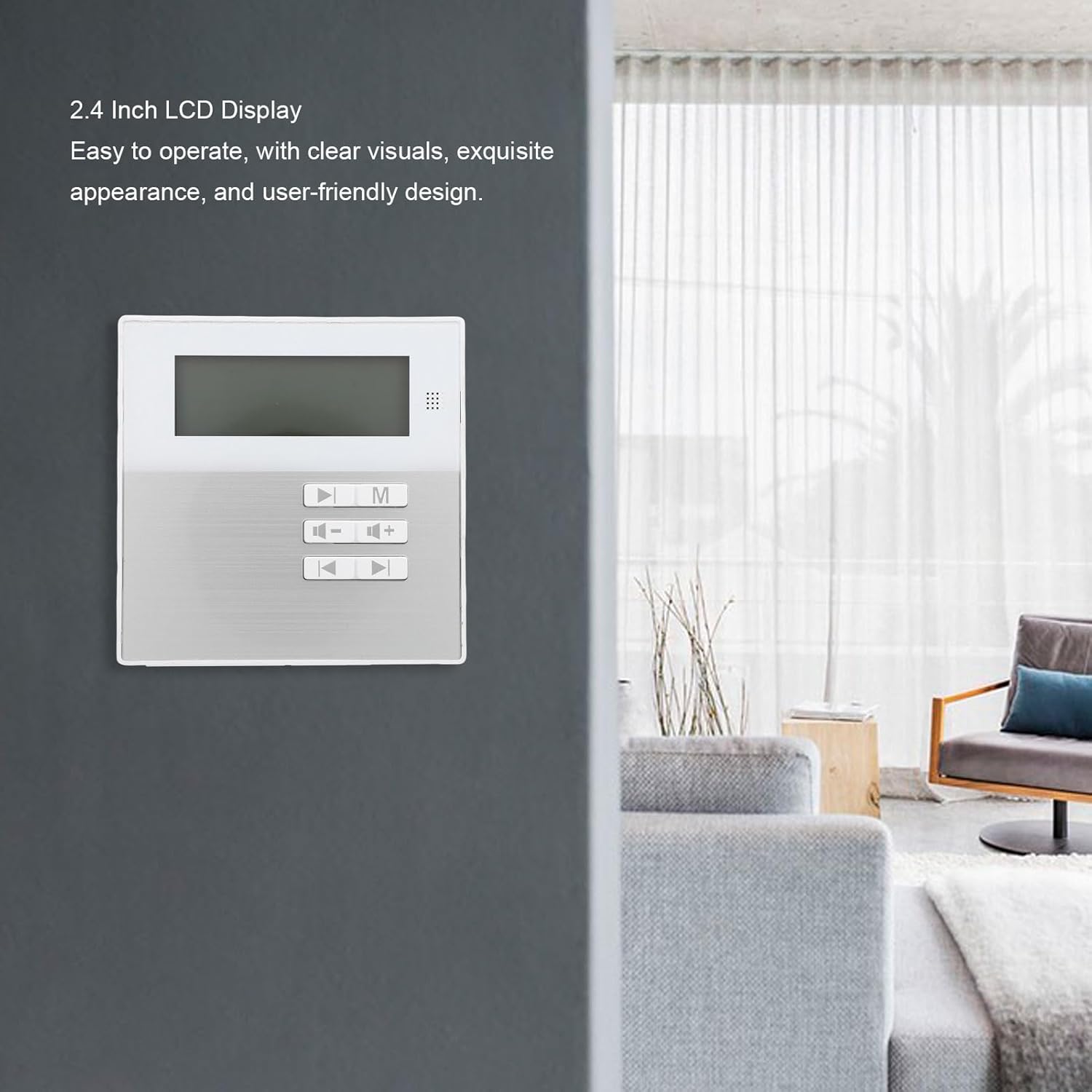
Image: The 2.4-inch LCD display of the ampнастан.
- Олон форматын дэмжлэг: Compatible with various audio formats including MP3, WMA, WAV, and FLAC for flexible playback.
- Зай хэмнэх хананд бэхэлгээний загвар: Designed for wall installation to save space and provide convenient access.
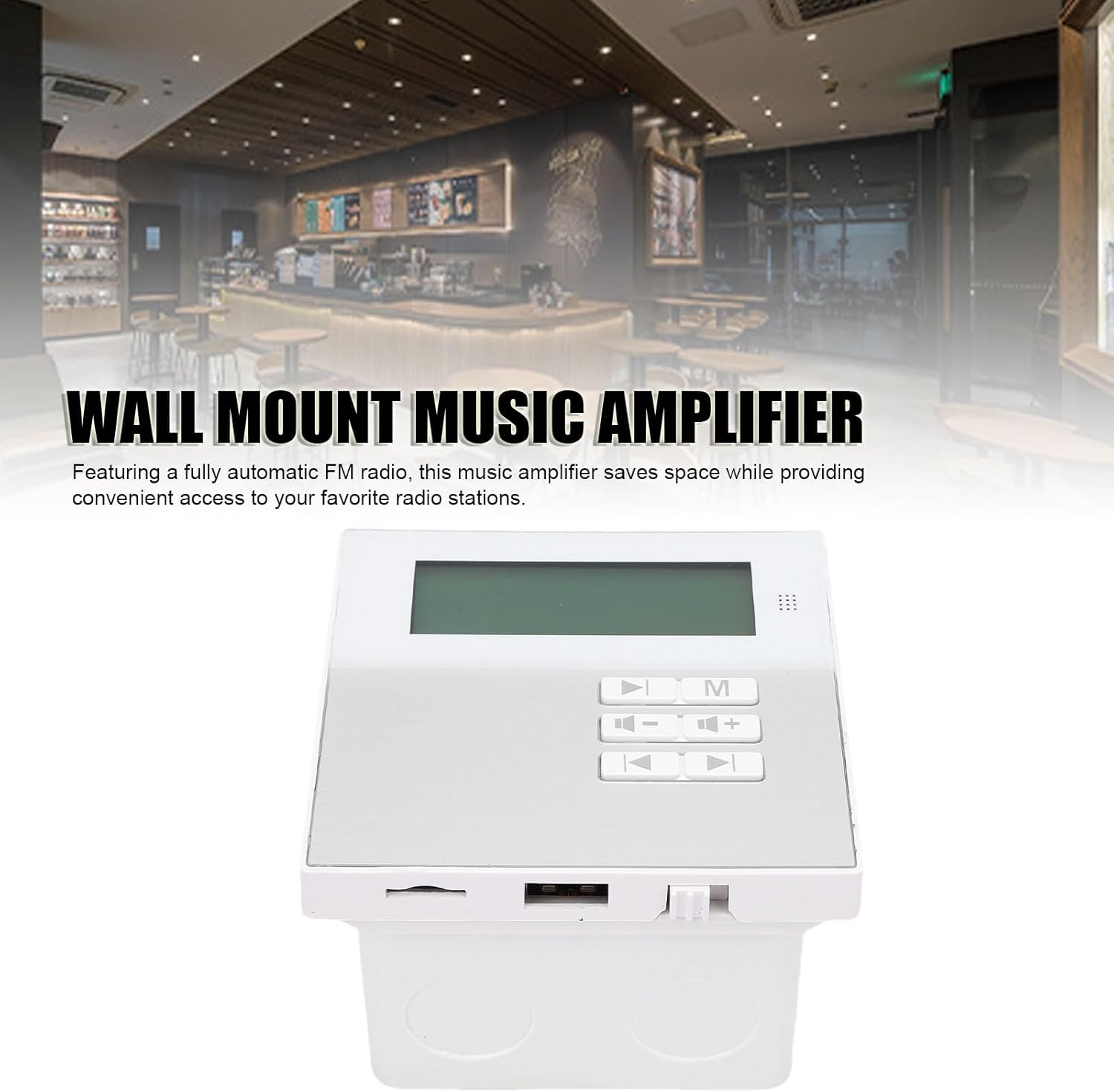
Image: Wall-mounted amplifier in a room setting.
- Bluetooth 5.3 холболт: Ensures stable wireless music playback and seamless connection to external Bluetooth devices.
- Тохиромжтой алсын удирдлага: Allows for easy control of music functions, ideal for various settings.
- Built-in Radio Module: Features a built-in radio module for quick radio station search.

Зураг: Amplifier displaying radio mode.
Тохиргоо ба суурилуулалт
The GOWENIC Wall Mount Music Amplifier is designed for DIY installation. Follow these general steps:
- Суурилуулалтын талбайг бэлтгэх: Choose a suitable wall location. Ensure there is access to power and speaker wiring.
- Install the Wall Mounted Back Box: Use the provided screws and screwdriver to securely attach the wall mounted back box to the wall. Ensure it is level.
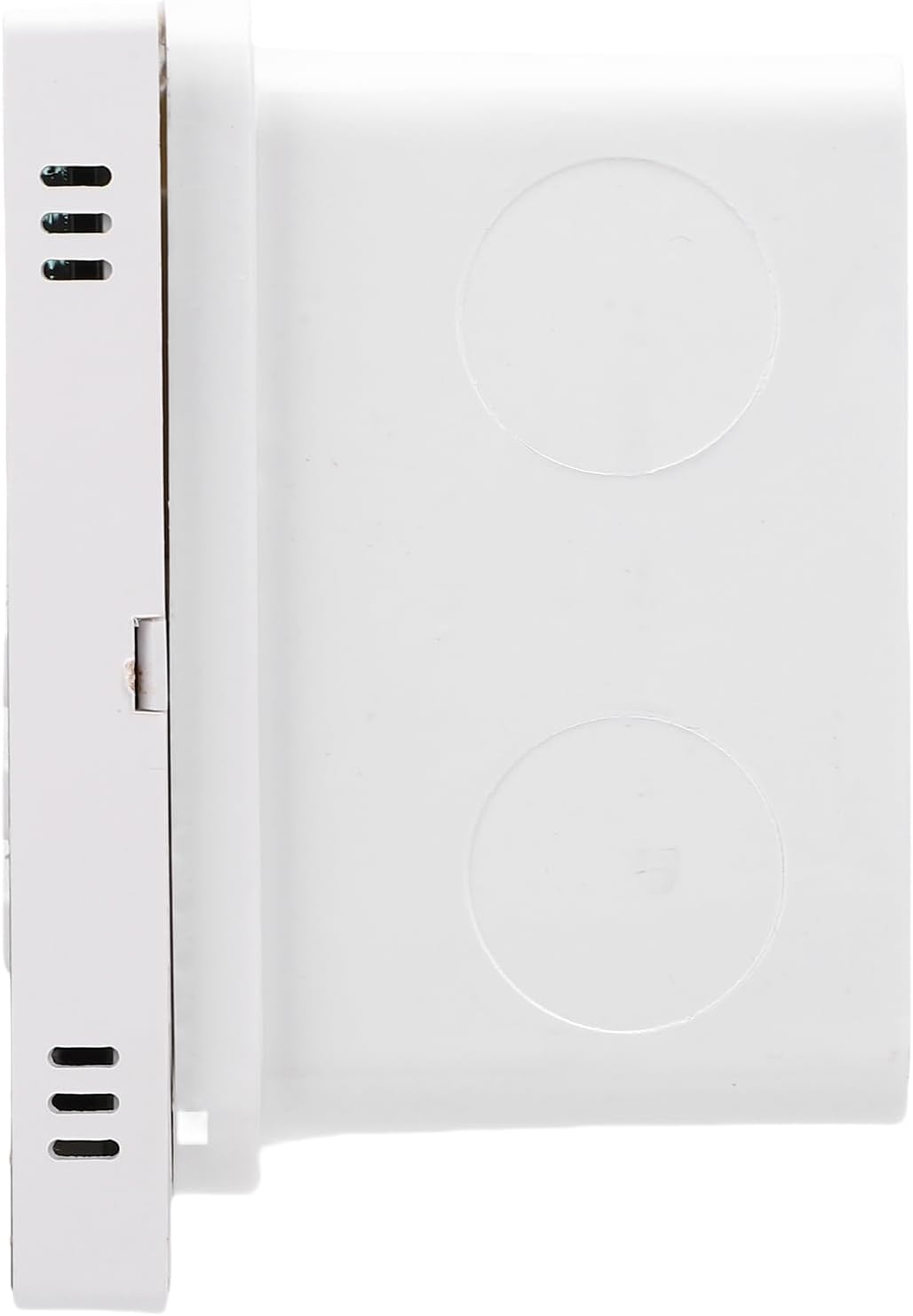
Image: Wall mounted back box.
- Утас холбох: Connect speaker wires and power cables to the amplifier unit. Refer to the wiring diagram (if provided separately or on the unit itself) for correct polarity and connections.

Зураг: Amplifier unit showing connection ports.
- -ийг суурилуулах Ampөргөх нэгж: Болгоомжтой оруулна уу amplifier unit into the installed back box, ensuring all connections are secure and the unit sits flush with the wall.
- Асаах: Once installed, connect the amplifier to a power source. The LCD screen should illuminate.
Ашиглалтын заавар
Үндсэн үйл ажиллагаа
- Асаах/унтраах: Press the power button on the unit or remote control to turn the ampилүү амьд асаах эсвэл унтраах.
- Дууны хяналт: Use the '+' and '-' buttons on the unit or remote to adjust the volume.
- Горим сонгох: Press the 'M' button on the unit or remote to cycle through available input modes (e.g., Bluetooth, USB, Memory Card, FM Radio).
Bluetooth холболт
- -ийг баталгаажуулах ampөргөгч асаалттай байна.
- Select Bluetooth mode using the 'M' button. The LCD screen will display "Bluetooth" or a similar indicator.
- Гадаад Bluetooth төхөөрөмж дээрээ (жишээ нь, ухаалаг гар утас, таблет) Bluetooth-г идэвхжүүлж, боломжтой төхөөрөмжүүдийг хайж олоорой.
- Select "GOWENIC Amplifier" (or similar name) from the list of found devices to pair.
- Хос болсны дараа amplifier will indicate a successful connection, and you can play audio from your device.
- The Bluetooth wireless range is approximately 10 meters.
Media Playback (USB/Memory Card)
- Insert a USB drive or a memory card (up to 16GB, not included) containing supported audio files (MP3, WMA, WAV, FLAC) into the respective port on the ampнастан.
- Select the appropriate input mode (USB or Memory Card) using the 'M' button.
- The amplifier will automatically detect and begin playing audio files.
- Use the play/pause, next track, and previous track buttons on the unit or remote control to manage playback.
FM радиогийн үйл ажиллагаа
- Select FM Radio mode using the 'M' button.
- Use the tuning buttons (often represented by arrow icons) on the unit or remote to scan for radio stations.
- The LCD screen will display the current frequency.
Алсын удирдлагын хэрэглээ
The included remote control provides full functionality for the amplifier. Point the remote control directly at the amplifier's sensor. The remote control distance is approximately 8 meters.
Image: Remote control for the ampнастан.
Функцууд нь ихэвчлэн дараахь зүйлийг агуулдаг.
- Асаах/унтраах
- Mode Selection (M)
- Дууны хэмжээг нэмэгдүүлэх/дооруулах (+/-)
- Тоглуулах/түр зогсоох
- Өмнөх/дараагийн дуу
- EQ Settings (if available)
- Numeric Keypad for direct track/station selection
Засвар үйлчилгээ
- Цэвэрлэгээ: Гадаргууг цэвэрлэхийн тулд зөөлөн, хуурай даавуу ашиглана уу ampөргөгч. Шингэн цэвэрлэгч эсвэл зүлгүүрийн материал бүү хэрэглэ.
- Тоос арилгах: Periodically wipe away dust from the unit to prevent accumulation, especially around vents.
- Зай солих (Алсын удирдлага): If the remote control's range decreases or it stops responding, replace the CR2025 battery. Ensure correct polarity.
- Хадгалах: Хэрэв төхөөрөмжийг удаан хугацаагаар хадгалах бол цахилгаан тэжээлээс салгаад сэрүүн, хуурай газар хадгална уу.
Алдааг олж засварлах
| Асуудал | Боломжит шалтгаан | Шийдэл |
|---|---|---|
| Хүч чадалгүй | Цахилгаан кабель холбогдоогүй; цахилгаан залгуур гэмтэлтэй. | Check power cable connection; try a different power outlet. |
| Дуу алга | Volume too low; incorrect input mode; speaker wires disconnected. | Increase volume; select correct input mode; check speaker wire connections. |
| Bluetooth-г холбохгүй байна | Amplifier not in Bluetooth mode; device too far; interference. | Баталгаажуулах amplifier is in Bluetooth mode; move device closer; restart both devices. |
| Алсын удирдлага ажиллахгүй байна | Battery depleted; obstruction between remote and ampнастан. | Replace remote control battery; ensure clear line of sight to amplifier sensor. |
| USB/Memory card not recognized | Incorrect format; card/drive faulty; capacity too large. | Баталгаажуулах files are supported (MP3, WMA, WAV, FLAC); try another card/drive; ensure capacity is 16GB or less. |
Үзүүлэлтүүд
| Загварын дугаар | GOWENICtum8w0pzsr |
| Гаралтын хүч | 2x20W (supports 4 speakers) |
| Чанга яригчийн эсэргүүцэл | 8 Ом |
| Bluetooth хувилбар | 5.3 |
| Bluetooth зай | 10 метр хүртэл |
| Алсын удирдлагатай зай | 8 метр хүртэл |
| Санах ойн картны дэмжлэг | Maximum 16GB (not included) |
| Дэлгэцийг харуулах | 2.4 инчийн LCD дэлгэц |
| Шийдвэр | 128х64 |
| Нийт гармоник гажуудал | ≤0.03% (1kHz, 1W, 8Ω) |
| Давтамжийн хариу үйлдэл | 20Гц-20кГц |
| Дохио болон дуу чимээний харьцаа | >81 дб |
| Хөгжмийн форматууд | MP3, WMA, WAV, FLAC, etc. |
| Алсын удирдлагатай батерей | CR2025 (140mAh, included) |
| Зүйлийн жин | 10.8 унц |
| Багцын хэмжээ | 5.91 x 4.72 x 3.54 инч |
Баталгаат болон дэмжлэг
GOWENIC products are manufactured to high-quality standards. For specific warranty details, please refer to the warranty card included with your product or contact GOWENIC customer support.
For technical support, troubleshooting assistance, or inquiries regarding your GOWENIC Wall Mount Music Amplifier, please contact the manufacturer:
Үйлдвэрлэгч: ГОВЕНИК
Please visit the official GOWENIC website or refer to your purchase documentation for the most up-to-date contact information.