1. Танилцуулга
The KONNWEI MAXOBD OBD2 Scanner is a professional diagnostic tool designed to read and clear diagnostic trouble codes (DTCs) from your vehicle's engine control unit (ECU). It provides access to various vehicle systems, allowing users to monitor live data, perform I/M readiness tests, and retrieve vehicle information. This manual provides detailed instructions for the proper use and maintenance of your MAXOBD scanner.
2. Аюулгүй байдлын мэдээлэл
Before operating the MAXOBD OBD2 Scanner, please read and understand all safety messages and instructions in this manual. Failure to do so may result in personal injury or damage to the vehicle or the scanner.
- Автомашины туршилтыг үргэлж аюулгүй орчинд хий.
- ANSI стандартад нийцсэн нүдний хамгаалалт өмс.
- Хувцас, үс, гар, багаж хэрэгсэл, туршилтын төхөөрөмж гэх мэтийг хөдөлж буй болон халуун хөдөлгүүрийн хэсгүүдээс хол байлга.
- Агааржуулалт сайтай ажлын талбайд тээврийн хэрэгслийг ажиллуулах; яндангийн хий нь хортой.
- Хурдны хайрцгийг PARK (автомат хурдны хайрцагт) эсвэл NEUTRAL (гар хурдны хайрцагт) байрлуулж, зогсоолын тоормосыг татсан эсэхийг шалгана уу.
- Keep a fire extinguisher suitable for gasoline/electrical fires nearby.
- Гал асаах эсвэл хөдөлгүүр ажиллаж байх үед туршилтын төхөөрөмжийг холбож, салгаж болохгүй.
3. Бүтээгдэхүүн дууссанview
The MAXOBD scanner features a clear display and intuitive button layout for easy navigation and operation. It connects directly to your vehicle's OBD-II port to retrieve diagnostic information.
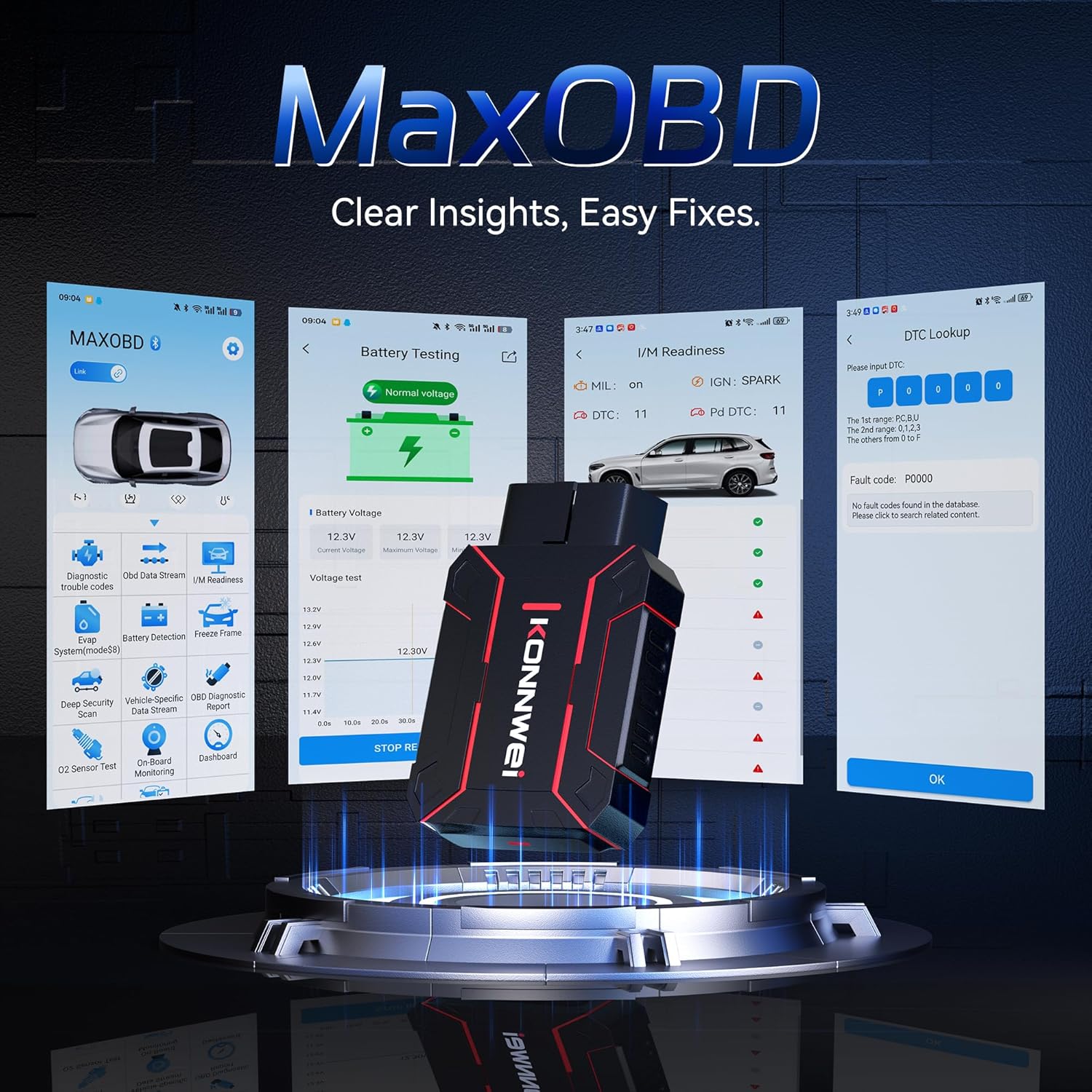
Image: The KONNWEI MAXOBD OBD2 Scanner device, illustrating its physical form and various diagnostic screen interfaces such as battery testing, I/M readiness, and DTC lookup.
Гол бүрэлдэхүүн хэсгүүд:
- OBD-II холбогч: Connects to the vehicle's Data Link Connector (DLC).
- LCD дэлгэц: Туршилтын үр дүн болон цэсний сонголтуудыг харуулна.
- Навигацийн товчлуурууд: Used to scroll through menus and select options.
- Enter/Exit Buttons: Confirm selections or return to previous screens.
4. Тохиргоо
Follow these steps to set up your MAXOBD OBD2 Scanner:
- Locate the Vehicle's OBD-II Port: The 16-pin Data Link Connector (DLC) is usually located under the dashboard on the driver's side of the vehicle. Refer to your vehicle's service manual for the exact location if you cannot find it.
- Сканнерыг холбоно уу: Plug the MAXOBD scanner's OBD-II connector firmly into the vehicle's DLC. Ensure a secure connection.
- Асаах: Once connected, the scanner will automatically power on. If it does not, turn the vehicle's ignition to the 'ON' position (engine off).
5. Ашиглалтын заавар
The MAXOBD scanner offers various diagnostic functions. Use the navigation buttons to move through menus and the Enter button to select options.

Image: A visual representation of a vehicle highlighting various systems (Engine, ABS, SAS, SRS, DPF, TPMS) that the MAXOBD scanner can perform a full system scan on.
Үндсэн цэсний функцууд:
- Код унших: Retrieves Diagnostic Trouble Codes (DTCs) from the vehicle's ECU. These codes indicate specific issues detected by the vehicle's onboard diagnostic system.
- Кодуудыг устгах: Clears all DTCs from the vehicle's ECU and turns off the Malfunction Indicator Lamp (MIL). Ensure the underlying issue is resolved before clearing codes.
- I/M бэлэн байдал: Checks the status of emission-related monitoring systems to determine if they are ready for an emissions test.
- Өгөгдлийн урсгал: Displays real-time operational parameters from the vehicle's sensors and components. This can include engine RPM, vehicle speed, oxygen sensor readings, and more.
- Хүрээг царцаах: Captures a snapshot of sensor data at the moment a DTC was set. This data can help identify the conditions under which a fault occurred.
- O2 мэдрэгчийн туршилт: Retrieves O2 sensor monitoring test results for the most recently completed tests from the vehicle's onboard computer.
- Хяналтын самбар дээрх туршилт: Тасралтгүй хянагддаггүй утаа ялгаруулалттай холбоотой цахилгаан дамжуулах эд анги, системийн үр дүнг авдаг.
- EVAP системийн туршилт: Тээврийн хэрэгслийн Ууршилтын Ялгарлын Хяналтын Системийн гоожих туршилтыг эхлүүлнэ.
- Тээврийн хэрэгслийн мэдээлэл: Тээврийн хэрэгслийн таних дугаар (VIN), шалгалт тохируулгын ID (CALID), шалгалт тохируулгын баталгаажуулалтын дугаар (CVN) зэргийг харуулна.
Performing a Diagnostic Scan:
- Connect the scanner to the vehicle's DLC and turn the ignition to 'ON'.
- From the main menu, select 'Read Codes' and press Enter.
- The scanner will communicate with the vehicle and display any detected DTCs.
- Use the navigation buttons to scroll through the codes and their descriptions.
- To clear codes, return to the main menu, select 'Erase Codes', and confirm.
6. Засвар үйлчилгээ
Proper maintenance ensures the longevity and reliable operation of your MAXOBD scanner.
- Цэвэрлэгээ: Зөөлөн ашиглах, damp cloth to clean the scanner's exterior. Do not use abrasive cleaners or solvents.
- Хадгалах: Store the scanner in a dry, clean environment away from extreme temperatures and direct sunlight. Keep it in its original packaging or a protective case when not in use.
- Програм хангамжийн шинэчлэлтүүд: Periodically check the KONNWEI official website for available software updates to ensure your scanner has the latest vehicle compatibility and features. Follow the instructions provided on the website for updating the device.
7. Алдаа засах
If you encounter issues with your MAXOBD scanner, refer to the following common problems and solutions:
| Асуудал | Боломжит шалтгаан | Шийдэл |
|---|---|---|
| Сканнер асахгүй байна. | Loose connection; vehicle ignition off; faulty OBD-II port. | Ensure the scanner is securely plugged into the DLC. Turn vehicle ignition to 'ON'. Test on another vehicle if possible. |
| "Холбоосын алдаа" эсвэл "Харилцааны алдаа" мессеж. | Loose connection; vehicle not OBD-II compliant; ignition off; communication protocol issue. | Verify connection. Ensure vehicle is OBD-II compliant (most vehicles 1996 and newer). Turn ignition to 'ON'. Try a different vehicle if available. |
| Дэлгэц хоосон эсвэл царцсан байна. | Software glitch; power interruption. | Disconnect and reconnect the scanner. If the issue persists, contact customer support. |
If the problem persists after attempting these solutions, please contact KONNWEI customer support for further assistance.
8. Техникийн үзүүлэлтүүд
- Брэнд: КОННВЕИ
- Загвар: maxobdTM
- Эрчим хүчний эх үүсвэр: Battery Powered (via OBD-II port)
- Үйлдлийн систем: Линукс
- Дэлгэцийн хэмжээ: 2.8 инч
- Автомашины тохирох төрөл: Universal Fit (for OBD-II compliant vehicles)
- Багцын хэмжээ: 10.04 x 7.28 x 2.76 инч
9. Баталгаат хугацаа ба дэмжлэг
KONNWEI products are designed for reliability and performance. For warranty information, please refer to the documentation included with your purchase or visit the official KONNWEI website. For technical support, troubleshooting assistance, or any other inquiries, please contact KONNWEI customer service through their official channels.
KONNWEI Official Webсайт: Visit the KONNWEI Store on Amazon