Танилцуулга
This manual provides detailed instructions for the AGPTEK A55PL USB C MP3 Player. It covers setup, operation, maintenance, and troubleshooting to ensure optimal use of your device. The A55PL is a versatile music player featuring USB-C connectivity, 64GB storage, FM radio, and voice recording capabilities, powered by a replaceable AAA battery.
Багцын агуулга
Доор жагсаасан бүх зүйл таны багцад байгаа эсэхийг шалгаарай.
- AGPTEK A55PL MP3 тоглуулагч
- 64GB TF Card (pre-installed)
- Type-C - USB цэнэглэгч кабель
- Хэрэглэгчийн гарын авлага

Image: Contents of the AGPTEK A55PL MP3 Player package, showing the player, USB-C cable, 64GB TF card, and user manual.
Бүтээгдэхүүн дууссанview болон онцлог
The AGPTEK A55PL MP3 Player is designed for portability and ease of use, offering multiple functionalities in a compact form factor.
Гол онцлогууд:
- Direct Type-C & Universal USB Connectivity: Connects directly to Type-C phones for file transfer or to laptops/PCs using the included adapter/cable.
- Swappable AAA Batteries: Operates on a single AAA battery (not included), allowing for instant power replacement without needing charging outlets.
- Massive 64GB Storage: Comes with a pre-loaded 64GB TF card, supporting over 13,000 songs and high-fidelity formats like FLAC, APE, and WAV. Functions as a U disk for data transfer.
- Crisp LED Display: Features an energy-efficient LED screen for clear navigation and song title display.
- Voice Recorder & FM Radio: Built-in voice recorder for capturing audio and an FM radio (requires wired headset as antenna) for broadcasts.

Зураг: Бүтэнview of the AGPTEK A55PL MP3 Player's capabilities, including its Type-C port, music playback, recording, FM radio, and 64GB TF card storage.
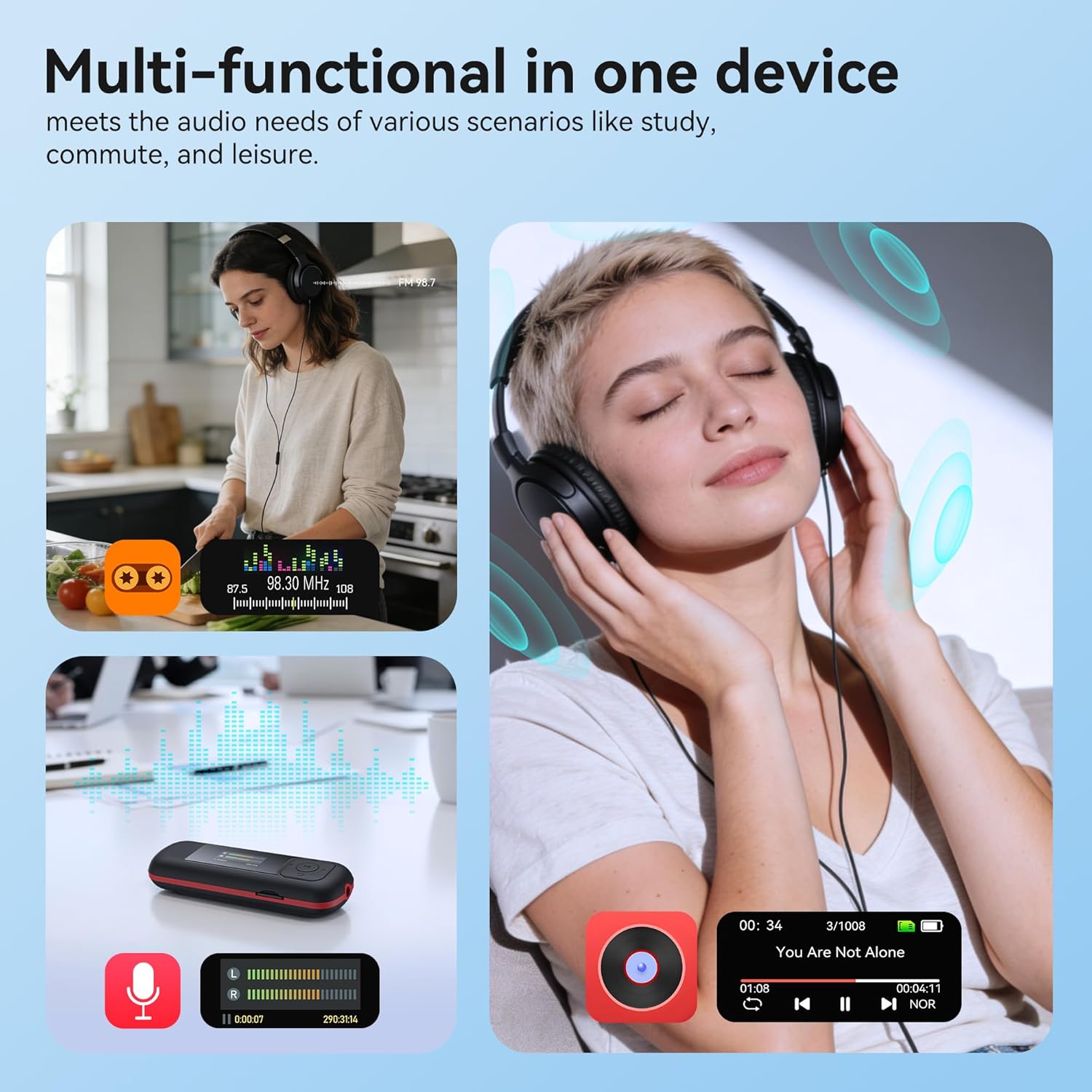
Image: The AGPTEK A55PL MP3 Player showcasing its multi-functional capabilities, including FM radio, voice recording, and music playback, suitable for various scenarios.
Тохиргоо
1. Зай суурилуулах
The AGPTEK A55PL uses one AAA battery (not included). Ensure correct polarity when inserting the battery.
- Төхөөрөмжийн арын хэсэгт зайны тасалгааны тагийг олоорой.
- Press the center of the cover and slide it forward to unlock and remove.
- Insert one AAA battery, matching the positive (+) and negative (-) terminals with the indicators inside the compartment.
- Хавтасыг найдвартай товших хүртэл нь буцааж шургуулна.

Image: Step-by-step guide for removing the USB cap and installing the AAA battery into the AGPTEK A55PL MP3 Player.
Жич: USB charging is not supported. The device relies solely on AAA battery power. The battery display on the screen is based on voltage changes at the battery terminal.
2. Initial Connection and File Дамжуулах
Та хөгжим болон бусад зүйлийг шилжүүлж болно files to your MP3 player from a computer or a Type-C smartphone.
- Компьютерийн хувьд: Use the included Type-C to USB cable. Connect the Type-C end to the player and the USB-A end to your computer's USB port. The player will appear as a removable disk.
- For Type-C Phones: Plug the player's Type-C connector directly into your phone's Type-C port. The player will be recognized as external storage. (For iPhones, a Lightning-to-Type-C OTG adapter is needed, not included).

Image: Demonstrates connecting the AGPTEK A55PL MP3 Player to a computer via USB cable and directly to a Type-C smartphone for file шилжүүлэх.
Ашиглалтын заавар
Үндсэн удирдлага
The player features a simple interface with dedicated buttons for easy navigation.
- Цахилгаан товч: Асаах/унтраахын тулд удаан дарна уу.
- Тоглуулах/түр зогсоох товчлуур: Хөгжим тоглуулах эсвэл түр зогсоохын тулд дарна уу.
- Навигацийн товчлуурууд (дээш/доошоо/зүүн/баруун): Цэсээр шилжих, тохиргоог тохируулахад ашигладаг.
- Дууны товчлуурууд (+/-): Dedicated buttons on the side to adjust playback volume.
- Цэсний товчлуур (M): Контекст мэдрэмтгий цэсүүдэд хандана.
- Буцах/Буцах товч: Өмнөх дэлгэц эсвэл цэс рүү буцна.
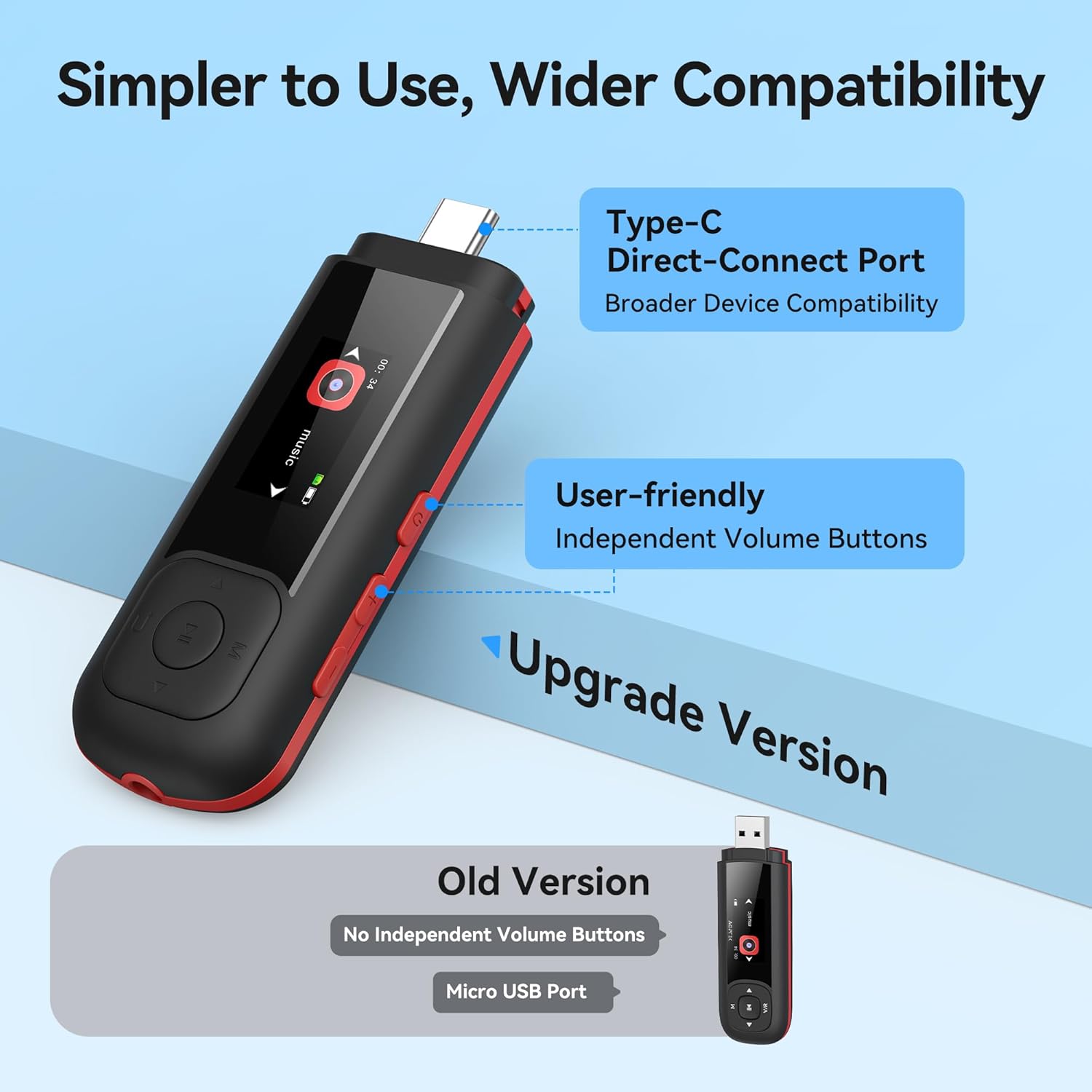
Image: Close-up of the AGPTEK A55PL MP3 Player, showing the Type-C direct-connect port and the independent volume buttons for user-friendly operation.
Хөгжим тоглуулах
The player supports various audio formats including MP3, WMA, APE, FLAC, and WAV.
- Connect wired headphones to the 3.5mm audio jack.
- Navigate to the "Music" option on the main menu.
- Browse through your music library by artist, album, or folder.
- Тоглуулж эхлэхийн тулд дуу сонгоно уу.
- Use the Play/Pause button to control playback and the volume buttons to adjust sound levels.

Image: A person enjoying music through headphones, highlighting the AGPTEK A55PL MP3 Player's support for multi-format lossless audio quality.

Image: Illustrates the different playback modes available on the AGPTEK A55PL MP3 Player, including Folder Mode and Music Mode with options like repeat, shuffle, and play in order.
FM радио
To use the FM radio function, a wired headset must be connected as it acts as the antenna.
- Утастай чихэвчээ холбоно уу.
- Navigate to the "FM Radio" option from the main menu.
- Навигацийн товчлууруудыг ашиглан станцуудыг хайх эсвэл давтамжийг гараар тохируулна уу.

Image: A user enjoying FM radio on the AGPTEK A55PL MP3 Player, emphasizing that wired headphones are required to function as an antenna.
Дуу бичигч
The built-in voice recorder allows you to capture audio on the go.
- Navigate to the "Recorder" option from the main menu.
- Select "Start Recording" to begin.
- Press the Play/Pause button to stop and save the recording.
- Recordings can be accessed and played back from the "Recordings" list.

Image: The AGPTEK A55PL MP3 Player showing its portable recorder function, ready for effortless on-the-go audio capture.
Custom Playlists
You can create and manage custom playlists by connecting the player to a computer.
- Connect the MP3 player to your computer using the Type-C to USB cable.
- Access the player's storage as a removable disk.
- Хөгжмөө цэгцлээрэй files into folders or create M3U playlist fileтөхөөрөмж дээр шууд байна.
- The player supports up to 3 built-in customizable playlists.

Image: Demonstrates how to create and edit custom playlists by connecting the AGPTEK A55PL MP3 Player to a computer via USB.
Засвар үйлчилгээ
- Цэвэрлэгээ: Төхөөрөмжийг цэвэрлэхдээ зөөлөн, хуурай даавуу ашиглаарай. Шингэн цэвэрлэгч эсвэл уусгагч бодисоос зайлсхий.
- Хадгалах: Тоглогчийг нарны шууд тусгал, хэт температураас хол, сэрүүн, хуурай газар хадгална.
- Батерейны арчилгаа: Remove the AAA battery if the device will not be used for an extended period to prevent leakage.
- Өгөгдлийн нөөцлөлт: Тогтмол нөөцлөх чухал files from the player to a computer to prevent data loss.
Алдааг олж засварлах
Төхөөрөмж асахгүй байна
- Ensure the AAA battery is inserted correctly with the correct polarity.
- AAA батерейг шинэ зайгаар солино уу.
- Цахилгаан товчийг хэдэн секундын турш дарна уу.
Шилжүүлэх боломжгүй Files
- Verify the Type-C to USB cable is securely connected to both the player and the computer/phone.
- Компьютер дээрээ өөр USB порт ашиглаж үзнэ үү.
- Ensure your computer's operating system recognizes external storage devices.
- For phones, ensure the phone supports OTG (On-The-Go) functionality for external storage.
Тоглуулах явцад дуу гарахгүй
- Check if wired headphones are properly plugged into the 3.5mm audio jack.
- Дууны хэмжээг хамгийн бага хэмжээнд тохируулаагүй эсвэл дууг хаагаагүй эсэхийг шалгаарай.
- Test with a different pair of headphones to rule out headphone issues.
- Verify the audio files are not corrupted and are in a supported format (MP3, WMA, APE, FLAC, WAV).
FM радио ажиллахгүй байна
- Confirm that wired headphones are connected, as they serve as the antenna.
- Try scanning for stations again in an open area.
Үзүүлэлтүүд
| Онцлог | Дэлгэрэнгүй |
|---|---|
| Загварын нэр | A55PL |
| Брэнд | AGPTEK |
| Санах ойн хадгалах багтаамж | 64 GB (via TF Card) |
| Холболтын технологи | USB Type-C, Aux (3.5mm) |
| Онцлог шинж чанарууд | FM Radio, Voice Recorder, Replaceable AAA Battery |
| Өнгө | Хар |
| Дэлгэцийн хэмжээ | 0.96 Inches (LED) |
| Тохиромжтой төхөөрөмжүүд | Headphones, Computers, Type-C Smartphones |
| Хэвлэл мэдээллийн төрөл | Микро SD |
| Зүйлийн жин | 3.87 унц |
| Багцын хэмжээ | 6.57 x 5.12 x 0.94 инч |
Баталгаат болон дэмжлэг
Баталгаат мэдээлэл болон техникийн дэмжлэг авахыг хүсвэл албан ёсны AGPTEK-ээс лавлана уу webсайт эсвэл харилцагчийн үйлчилгээтэй холбогдоно уу. Худалдан авалтын баримтаа аливаа баталгаат нэхэмжлэлийг худалдан авсан баримт болгон хадгална уу.
Онлайн дэмжлэг: -д зочилно уу Амазон дээрх AGPTEK дэлгүүр бүтээгдэхүүний мэдээлэл болон дэмжлэгийн эх сурвалжуудад зориулсан.


